Common AI Problem
Resolve Cloud Run Deployment Errors
Container failed to start, wrong port, or a crash on deploy. We get your service running on Google Cloud Run.
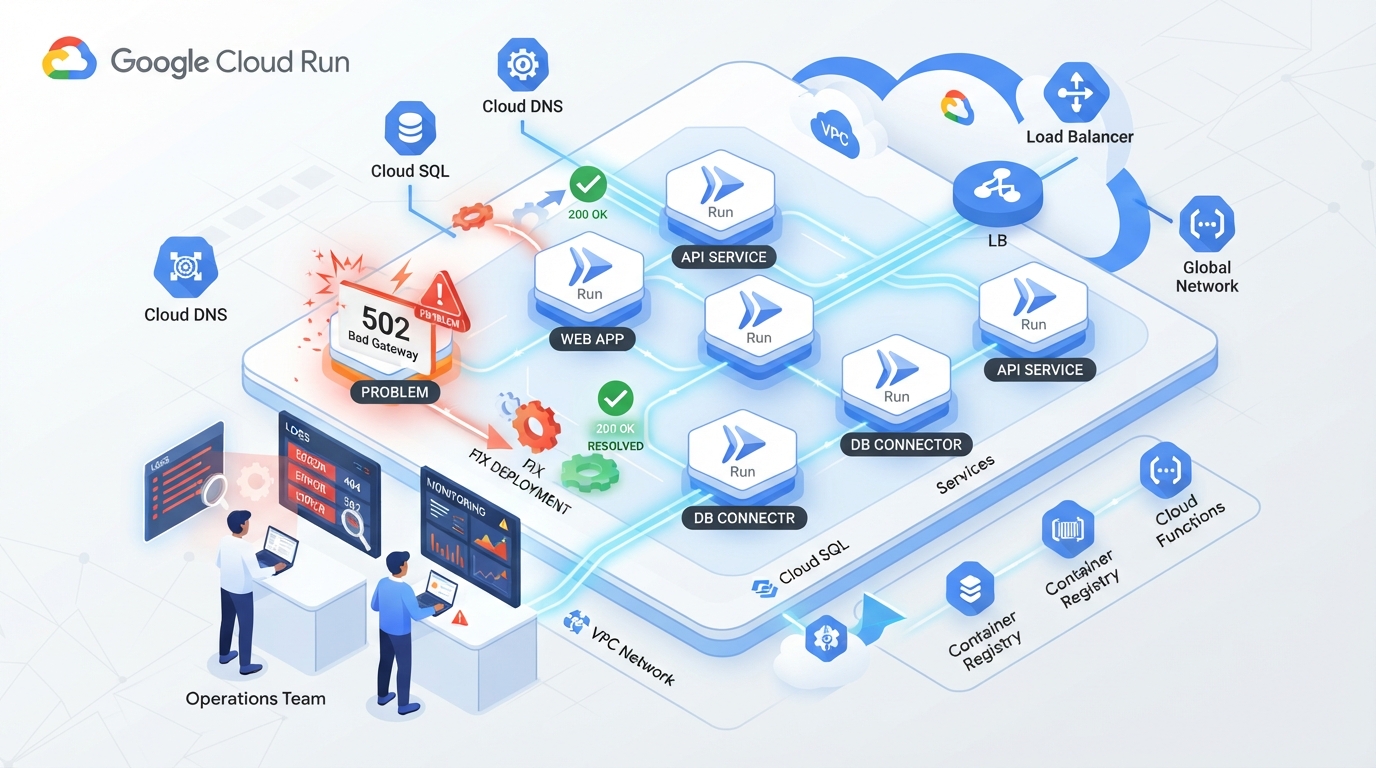
Understanding Cloud Run Deployment Challenges
Deploying applications on Google Cloud Run can be fraught with hurdles, from containers that refuse to start to incorrect port configurations. These issues often arise unexpectedly, halting your deployment process and leaving your team scrambling for solutions. The complexity of Cloud Run's serverless environment, while powerful, can introduce unique challenges that require specific expertise to navigate.
Root Causes of Cloud Run Errors
Cloud Run deployment errors typically stem from a handful of recurring root causes. Misconfigured environment variables are a frequent culprit, leading to applications failing to launch correctly. Compatibility issues between your application and the Cloud Run environment can also cause unexpected behavior or crashes. Additionally, errors in your container setup, such as missing dependencies or incorrect port settings, are common pitfalls.
Our Diagnostic Process
At BuildRescue, our diagnostic process is both thorough and precise, designed to identify Cloud Run deployment errors quickly and accurately. We begin by conducting a detailed examination of your application's configuration and dependency setup. This allows us to isolate the specific factors contributing to deployment failures.
- Comprehensive review of application logs and error messages
- Analysis of container configuration and environment settings
- Identification of compatibility issues with Cloud Run's environment
- Verification of port and network configurations
- Tailored recommendations for configuration adjustments
Tools and Techniques We Employ
Our approach to resolving Cloud Run errors leverages a variety of advanced tools and methods. We use container analysis utilities to delve deep into the workings of your app, ensuring that every element is optimally configured. Adjustments in your deployment settings, based on our findings, help remedy specific issues and align your setup with Cloud Run's requirements.
- Container analysis to detect setup inconsistencies
- Configuration adjustments for environment variables
- Utilization of diagnostic tools like Cloud Logging
- Network simulation to test port configurations
- Continuous integration testing for deployment stability
Long-Term Deployment Success with BuildRescue
Our commitment extends beyond merely fixing immediate deployment errors. We aim to bolster the overall reliability and scalability of your Cloud Run applications. By integrating best practices into your development workflow, we ensure that your deployments are not only successful today but are also built to withstand future challenges.
What our clients say
“Our container refused to start on Cloud Run and the logs made no sense. BuildRescue spotted the port misconfiguration immediately and had the service running smoothly the same day.”
AMArjun MehtaFounder, Streamcrate “Incredibly fast. They diagnosed the crash-on-deploy, fixed our environment settings, and walked me through the whole thing. What felt impossible in the morning was live by evening.”
LVLaura VidalTechnical Lead, Northbeam “They fixed the immediate errors and then made our deployments genuinely scalable. The added reliability has saved us countless late nights since. Easily the best money we've spent.”
KBKwame BoatengCTO, Payloop
Services that fix this
- AI Deployment & DevOps ServicesIt works on your machine but not in the cloud. We build the deployment pipeline, environments, and monitoring your AI-built app was missing.
- Hosting & Cloud Infrastructure ServicesWrong host, surprise bills, or a server that keeps falling over. We design and run hosting that fits your app and your budget.
Learn more
Related articles
- Fixing 'Container Failed to Start' on Google Cloud RunCloud Run's most common error has a small set of causes. This guide walks through each one and the fix.
- How to Choose Hosting for an AI-Built AppThe right host depends on what your app actually does. Here is a simple framework for choosing without overpaying.
- Why AI-Generated Apps Fail in Production (and How to Fix It)AI tools get you a working demo fast, then production reveals everything they skipped. Here are the failure patterns and how to fix each one.
Frequently asked questions
- What are common causes of Cloud Run deployment errors?
- Common causes include misconfigured environment variables, incorrect port settings, and compatibility issues between the application's code and the Cloud Run environment.
- How can I fix a container that fails to start on Cloud Run?
- First, check your application logs for error messages. Ensure all environment variables are correctly set and verify that your container is properly configured with all necessary dependencies.
- What port configurations are needed for Cloud Run?
- Cloud Run typically requires applications to listen on port 8080, as this is the default port used by the platform. Ensure your container is configured to use this port to avoid deployment errors.
- How does BuildRescue handle deployment errors?
- We employ a systematic diagnostic process to identify root causes of errors, utilizing tools like Cloud Logging and container analysis. Our tailored solutions address both immediate issues and long-term deployment stability.
- What makes Cloud Run different from other deployment platforms?
- Cloud Run offers a serverless environment that allows for seamless scaling and management of containerized applications. It integrates with the Google Cloud ecosystem, providing a robust platform but also introducing unique deployment challenges.
Stuck on exactly this?
Send us your repo and the error. We will triage it and reply with a fixed-scope plan within one business day.